Google apparently has a different definition of
"open source" than the rest of the open source community. Its Android
operating system, used in most of the world's smartphones, is made
available to manufacturers with a number of strings attached. It's all
about the apps. In order to include Google Search, for example, a
manufacturer must place a bunch of other Google products on the phone.
The Android operating system, which Google touts as open, isn't.
Google imposes strict restrictions on smartphone manufacturers and
app developers in its Android mobile application distribution agreement,
or MADA, according to excerpts of documents
revealed by Ben Edelman, an associate professor at the Harvard Business School.
The information was obtained from two MADAs -- one with HTC and one with Samsung -- that were admitted in open court in
Oracle's lawsuit against Google over Java.
"Under pressure, Google may well have to lift these restrictions,
letting competitors get a better chance to offer their apps and
services," Edelman, who states up front that he's a consultant to some
of Google's competitors, told LinuxInsider.
Google did not respond to our request to comment for this story.
The MADAs' Restrictions
In sum, smartphone manufacturers must agree to install all apps Google
specifies, with the prominence Google requires, including setting those
apps as a default per the company's instructions, if they want to get
key mobile apps including Google Search, Maps and YouTube, Edelman said.
It's an all-or-nothing proposition -- installing one Google app means
having to install them all. Since smartphone manufacturers need Google
Play and YouTube, they must accept Google Search, Maps, Network Location
Provider and other apps, regardless of whether they prefer
alternatives.
The Google Search and Google Play icons must be placed at least on
the panel immediately adjacent to the default home screen, and phone
manufacturers must set Google Search as the default search provider for
all Web search access points.
All other Google applications must be placed no more than one level below the phone's top level.
Google's Network Location Provider must be preloaded as the default.
Stifling the Opposition
These provisions restrict competition, Edelman charged.
Smartphone manufacturers can install third-party search, map or email
apps in addition to the Google apps they must include, Edelman said.
However, multiple apps are duplicative, confusing to users, and a drain
on device batteries.
Further, manufacturers cannot install third-party apps in exchange for a subsidy that would lower the cost of the device.
Competitors are likely to be less willing to pay for preinstallation
of their apps because Google apps must be the default, and its search
and app store apps must be placed prominently.
"Google enjoys a position of dominance in the market for mobile phone
operating systems," Edelman said. Android and Windows Phone "are the
only commercially viable options" for smartphone manufacturers.
Android's position "is tenfold larger," Edelman continued. "Antitrust
law applies higher standards for companies in this position."
The Possible MADA Backlash
It's possible that the revelations might spark the interest of antitrust
regulators and a negative reaction from the open source community,
Edelman said.
The disclosures "will upset developers," said Nick Spencer, a senior director of research at
ABI Research.
"They are quite religious about open source stuff, and they're quite
annoyed about Apple not having a transparent certification program to
get on the App Store, and this is not dissimilar to that," he told
LinuxInsider.
"Another possibility is further investigation by the Senate Antitrust
Committee; one imagines they might be disappointed to learn that
[Google CEO Eric] Schmidt's response was less than forthright," Edelman
suggested.
He was referring to a September 2011
committee hearing,
where Schmidt reportedly said Google did not demand that smartphone
manufacturers make it the default search engine as a condition of using
the Android OS.
Storm in a Teacup?
"It is no secret that Google has always intended to monetize Android with back-end services," Al Hilwa, a program director at
IDC, told LinuxInsider. "I really am not sure why everyone is shocked,
shocked at this."
With the MADA restrictions, Google is "trying to keep control,"
surmised ABI's Spencer. "They've seen all this fragmentation and are
very worried about forked versions coming out of China and India --
these forks constituted 25 percent of Android sales."


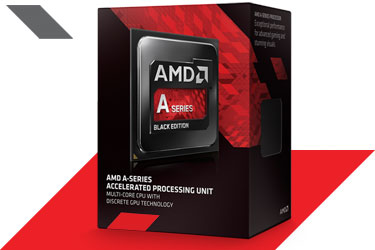
 AMD has launched "a revolutionary next-generation APU that marks a new
era of computing," said Bernd Lienhard, general manager of the company's
Client Business Unit. In addition to promising world-class graphics and
compute technology on a single chip, it offers TrueAudio Technology
that sets a new level of immersion. You can hear your enemy's every move
and anticipate the next, suggests AMD.
AMD has launched "a revolutionary next-generation APU that marks a new
era of computing," said Bernd Lienhard, general manager of the company's
Client Business Unit. In addition to promising world-class graphics and
compute technology on a single chip, it offers TrueAudio Technology
that sets a new level of immersion. You can hear your enemy's every move
and anticipate the next, suggests AMD.